Export Dealer Sales Records -- Technical Specifications
The Export Dealer Sales Records (EDSR) module is very, very, easy to use.- Click "Utilities" on DMS's main menu bar.
- Place the mouse over "Point of Sale".
- Click the "Export Dealer Sales Records and Open Browser" selection.
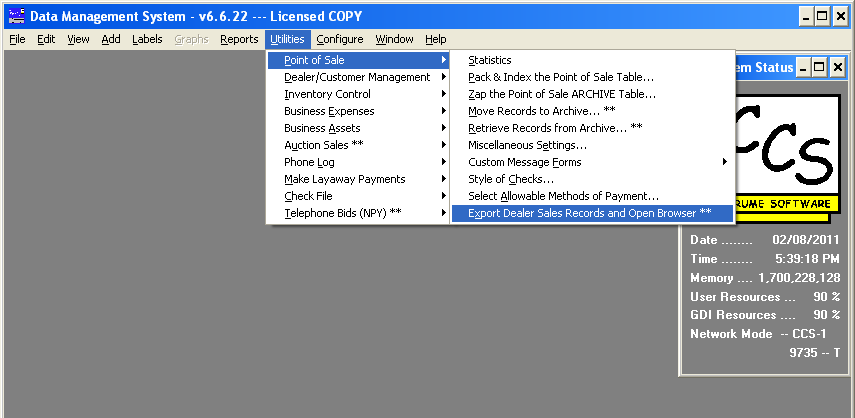
- Doing this opens the "Export Dealer Sales Records" form:
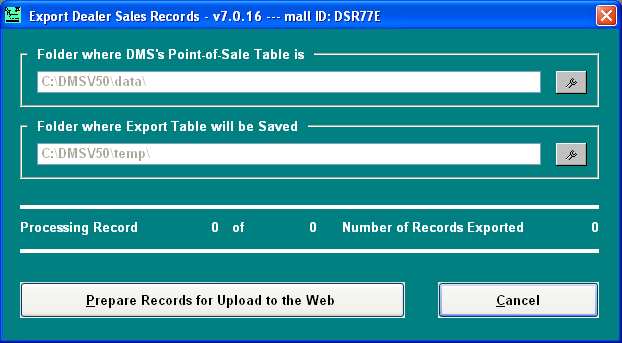
Unless you've changed the default location (C:\DMSV50) where DMS is installed, all you need do is click the "Prepare Records for Upload..." button.
- Once the records have been prepared, DMS will open your browser and navigate to our web site (you will,
of course, need to log on to our site with your mall ID and password).
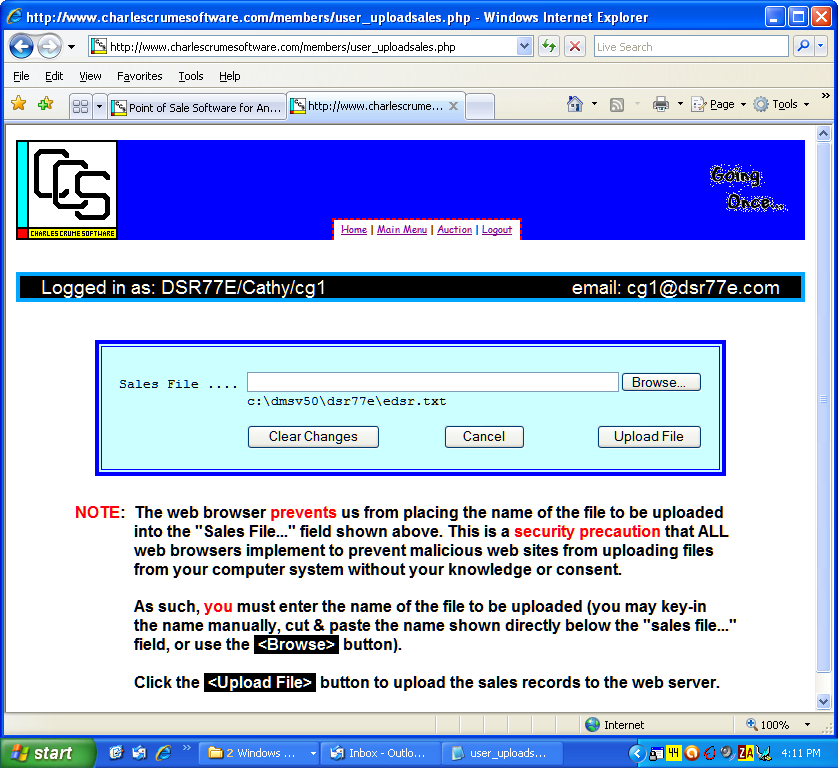
- Once all records have been uploaded, you will get a report, as shown below:
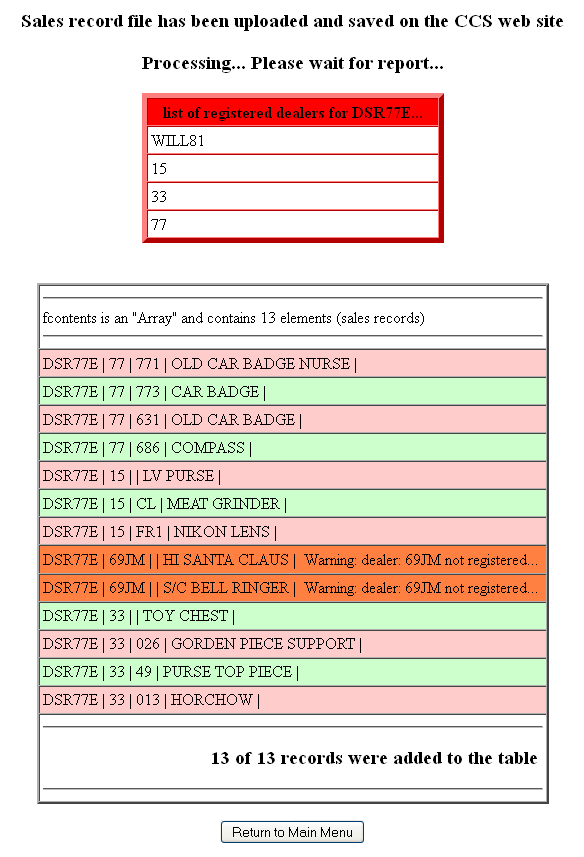
The report lists all of the records uploaded, and... if there are records for dealers that have not yet been registered (perhaps a new dealer in the mall), the report will indicate this (dealer 69JM, in the example above, is not registered).The records for dealer 69JM were properly uploaded.
Contact us to get such a dealer registered.